

Every leader who has evaluated a Contract Lifecycle Management (CLM) platform has run into the same uneasy question: “How is this actually going to fit with everything else we use?” It’s a fair concern. A CLM sits at the crossroads of sales, finance, procurement, and legal. If it can’t talk to the rest of your stack, it quickly becomes another silo instead of the connective tissue it was meant to be. The good news: integration, while still the number one worry for CLM buyers, is far less daunting than it used to be. Here’s what you really need to know.
Why CLM integration is a common concern
Contracts touch almost every team in the business, which means a CLM is only as useful as the information flowing in and out of it. Buyers commonly worry about three things:
- The engineering effort required to connect systems
- The risk of breaking workflows that already work
- The long-term cost of maintaining fragile custom code
Also, additional memories of past ERP or CRM implementations that ran over budget and off schedule. It’s no surprise that “integration” is often the first objection raised by senior management when implementing a new CLM platform.
What "integration" really means in CLM
“Integration” is a word that gets stretched to mean too many things. In CLM, it usually refers to a few distinct capabilities: single sign-on and identity management (so users don’t need another password), data integration (pushing and pulling contract metadata with systems like Salesforce or SAP), document integration (storing or editing contracts in Microsoft 365 or Google Drive), and workflow integration (triggering actions in other systems, for example, creating a PO once a contract is signed). Understanding which of these you actually need is the first step to a realistic integration plan.
The tools your CLM should integrate with
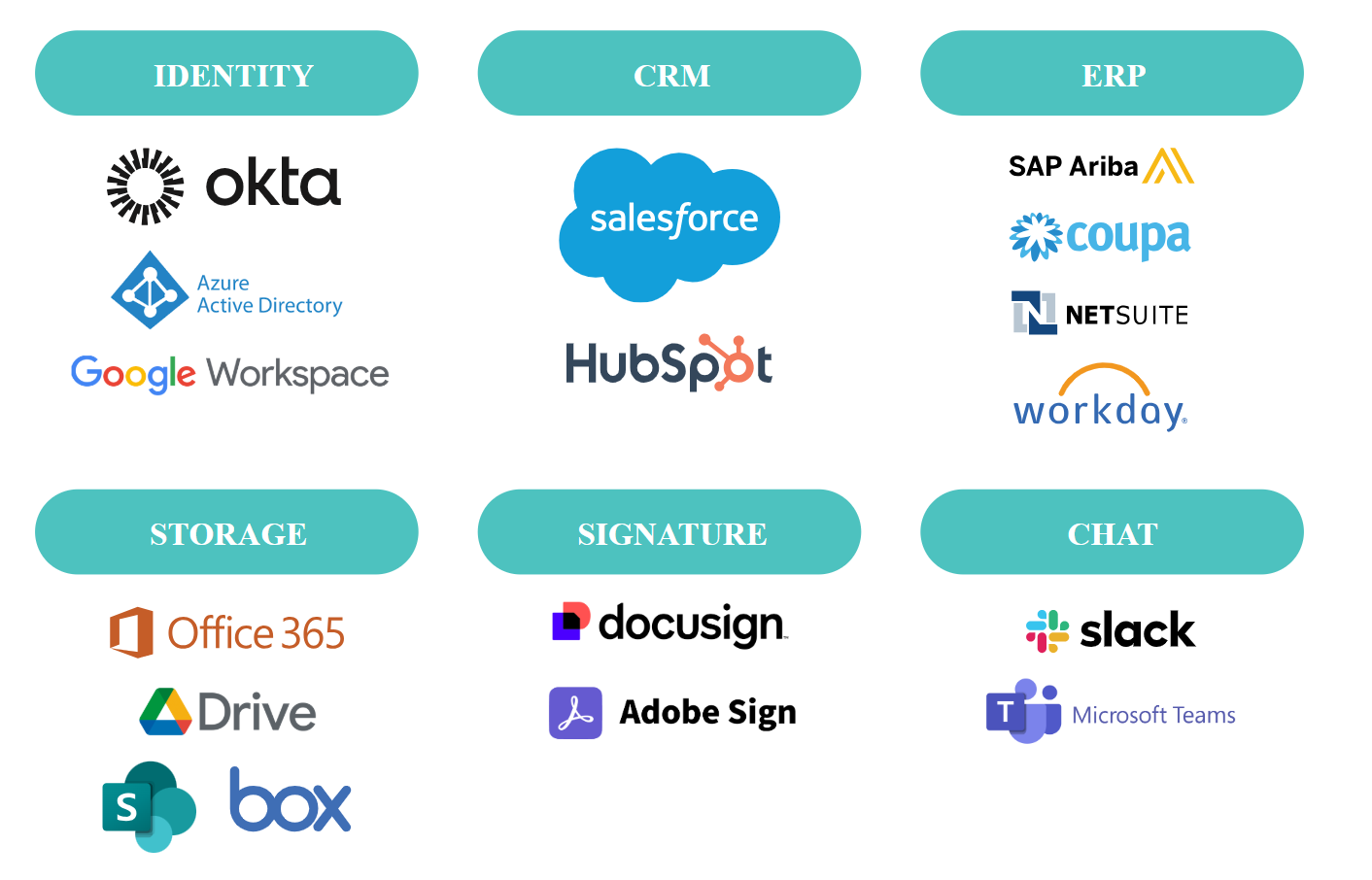
Most organisations need their CLM to connect with a predictable set of systems. On the identity side, that usually means Okta, Azure AD, or Google Workspace. On the revenue side, Salesforce or HubSpot; on the procurement and finance side, SAP Ariba, Coupa, or NetSuite, or Workday. For document authoring and storage, you’ll want Microsoft 365, Google Drive, SharePoint, or Box. Signature integrations (DocuSign, Adobe Sign) are essentially table stakes, and collaboration tools like Slack and Teams are increasingly expected. The exact list varies by company, but the pattern is consistent: identity, CRM, ERP, storage, signature, and chat. Here’s what this looks like in a summary chart:
Sample CLM Platform Integration Systems
How modern CLM platforms make integration easier
The CLM market has come a long way from the days of brittle, developer-heavy point-to-point connections. Today’s leading platforms ship with pre-built connectors for the systems above, a well-documented REST API, webhooks for real-time event handling, and native support for iPaaS tools. Many also offer low-code workflow builders so business analysts, not just engineers, can configure integrations. The result: a rollout that used to require a team of developers for six months can now be configured by a small implementation squad in weeks.
Will integration disrupt your current workflows?
This is the quiet fear behind most integration objections: “If we plug this in, will my sales team suddenly have to learn a new tool?” Done well, the answer is no. Good CLM integration is almost invisible to end users. Sales reps continue to request contracts from inside Salesforce. Procurement keeps raising its intake in Coupa. Finance still sees the executed contract attached to the correct vendor record. The CLM does the heavy lifting behind the scenes – version control, approvals, clause libraries – while the front-door experience stays in the tools people already know. The test of a good integration isn’t “Did users notice the change?” but “Did their work get easier?”
Key features to look for in an integration-friendly CLM
When evaluating vendors, ask to see:
- An open, versioned REST API with clear documentation
- Real-time webhooks (not just nightly syncs)
- Pre-built, configurable connectors for your core systems
- Field-level mapping so you can decide exactly what syncs where
- Bi-directional sync where it matters (a contract’s status should update in Salesforce just as cleanly as an opportunity amount updates in the CLM)
- Audit logs for every integration event
- Role-based access controls that extend across systems.
Also look for a vendor with an active partner ecosystem, it’s a strong signal that the APIs are robust enough for others to build on.
Common integration challenges (and how to overcome them)
Even with modern tooling, a few pitfalls still trip teams up. Data quality is the most common. If your Salesforce accounts are messy, the CLM will inherit that mess. Fix it before you sync, not after. Over-integration is another: teams try to connect everything on day one and end up with a fragile web they can’t maintain. Start with the two or three highest-value connections and add more once they’re stable. Ownership gaps also derail projects. When nobody owns the integration after go-live, small failures compound. Teams should clearly designate and empower an integration owner. Finally, change management is underestimated; even the smoothest technical integration fails if stakeholders aren’t brought along on the journey.
Real-world example: CLM integration in action
Consider a mid-market SaaS company that rolled out a CLM to replace shared-drive chaos. Their first integration goal was modest: when a Salesforce opportunity hits “Closed Won,” automatically generate a contract in the CLM, pre-populated with the account, product and pricing data. Sales then reviewed and sent for signature directly from Salesforce. The executed PDF and key metadata – renewal date, total contract value, auto-renewal flag – flowed back into Salesforce and into NetSuite for billing. Cycle time dropped from eleven days to three. Sales adoption was immediate because nobody had to leave Salesforce. That’s the integration dividend: speed and adoption, without a rip-and-replace.
Questions to ask before choosing a CLM solution
Don’t leave integration to the demo. Before signing, ask vendors:
- Which of our core systems do you support out of the box, and which require custom work?
- Can you show us a live sync, not a slide?
- How are API rate limits handled?
- What happens when your schema changes? Do our integrations break?
- Who maintains the connectors – you or a third party?
- How do you handle errors and retries?
- What does integration support look like after go-live, and is it included in the license or billed separately?
The answers separate mature platforms from those still relying on professional services to bridge the gaps.
Final thoughts: integration shouldn't be a barrier
Integration anxiety is understandable, but it should no longer stop you from modernising how your organisation manages contracts. The tooling is better, the connectors are richer, and the playbooks are well established. The real risk today isn’t integrating a CLM, it’s running without one while competitors shorten cycle times and unlock contract data.
Choose a platform with a proven integration story, start small, and let the value compound. Integration, done right, isn’t a barrier; it’s what finally connects your contracts to the rest of your business.

lntegreon
About the author
Bhavya Rawal is based in Oxford, England and is Director, AI & CLM at Integreon, where she helps organizations modernize legal workflows through technology-enabled solutions and process optimization. With a unique background spanning both law and software development, Bhavya brings expertise in legal technology adoption, workflow design, and operational transformation. Prior to joining Integreon, she worked in legal technology consulting and application development roles, advising legal and procurement teams on technology strategy and implementation.